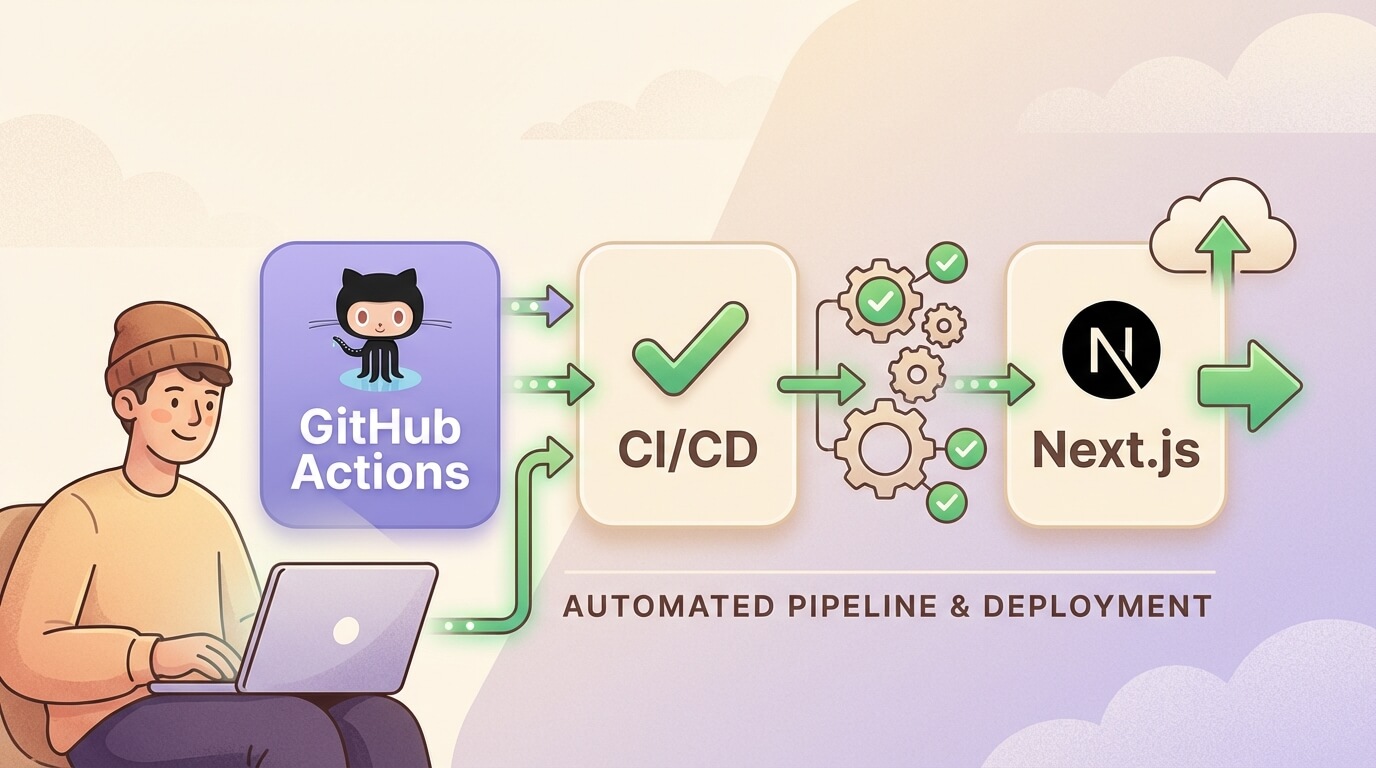
Tutorial CI/CD dengan GitHub Actions untuk Next.js
Minggu, 28 Des 2025
CI/CD (Continuous Integration/Continuous Deployment) adalah praktik DevOps yang memungkinkan tim developer untuk mengotomatisasi proses testing dan deployment. Dengan GitHub Actions, kamu bisa setup pipeline yang powerful langsung dari repository GitHub tanpa perlu tools eksternal.
Apa itu CI/CD?
Continuous Integration (CI) adalah praktik dimana setiap perubahan code di-merge ke branch utama secara berkala. Setiap merge memicu automated build dan test untuk mendeteksi bug lebih awal.
Continuous Deployment (CD) adalah ekstensi dari CI dimana setiap perubahan yang lolos testing otomatis di-deploy ke production.
Manfaat CI/CD
- Deteksi bug lebih cepat
- Mengurangi manual work
- Deployment lebih konsisten
- Feedback loop lebih cepat
- Meningkatkan confidence saat release
GitHub Actions Basics
GitHub Actions adalah platform CI/CD yang terintegrasi langsung dengan GitHub. Kamu mendefinisikan workflow dalam file YAML di folder .github/workflows/.
Konsep Dasar
- Workflow: Proses otomatis yang kamu definisikan di repository
- Event: Trigger yang memulai workflow (push, pull_request, schedule, dll)
- Job: Sekumpulan steps yang berjalan di runner yang sama
- Step: Task individual dalam job
- Action: Reusable unit of code
- Runner: Server yang menjalankan workflow
Struktur File Workflow
name: CI Pipeline

on:
  push:
    branches: [main, develop]
  pull_request:
    branches: [main]

jobs:
  build:
    runs-on: ubuntu-latest
    steps:
      - uses: actions/checkout@v4
      - name: Run a script
        run: echo "Hello, World!"
Setup CI Pipeline untuk Next.js
Mari buat CI pipeline lengkap yang mencakup linting, testing, dan building.
1. Basic CI Workflow
Buat file .github/workflows/ci.yml:
name: CI

on:
  push:
    branches: [main, develop]
  pull_request:
    branches: [main]

jobs:
  lint:
    name: Lint
    runs-on: ubuntu-latest
    steps:
      - uses: actions/checkout@v4

      - name: Setup Node.js
        uses: actions/setup-node@v4
        with:
          node-version: '20'
          cache: 'npm'

      - name: Install dependencies
        run: npm ci

      - name: Run ESLint
        run: npm run lint

  test:
    name: Test
    runs-on: ubuntu-latest
    steps:
      - uses: actions/checkout@v4

      - name: Setup Node.js
        uses: actions/setup-node@v4
        with:
          node-version: '20'
          cache: 'npm'

      - name: Install dependencies
        run: npm ci

      - name: Run tests
        run: npm test

  build:
    name: Build
    runs-on: ubuntu-latest
    needs: [lint, test]
    steps:
      - uses: actions/checkout@v4

      - name: Setup Node.js
        uses: actions/setup-node@v4
        with:
          node-version: '20'
          cache: 'npm'

      - name: Install dependencies
        run: npm ci

      - name: Build
        run: npm run build
2. Type Checking
Tambahkan type checking untuk TypeScript:
  typecheck:
    name: Type Check
    runs-on: ubuntu-latest
    steps:
      - uses: actions/checkout@v4

      - name: Setup Node.js
        uses: actions/setup-node@v4
        with:
          node-version: '20'
          cache: 'npm'

      - name: Install dependencies
        run: npm ci

      - name: Type check
        run: npx tsc --noEmit
Deploy ke Vercel
Vercel adalah platform yang dibuat oleh tim Next.js, jadi integrasi deployment sangat seamless.
Automatic Deployment (Recommended)
Cara paling mudah adalah connect repository GitHub ke Vercel. Setiap push akan otomatis trigger deployment.
- Buka vercel.com
- Import repository dari GitHub
- Vercel akan auto-detect Next.js dan configure settings
- Done! Setiap push ke main akan deploy ke production
Manual Deployment via GitHub Actions
Jika butuh kontrol lebih, gunakan Vercel CLI:
name: Deploy to Vercel

on:
  push:
    branches: [main]

jobs:
  deploy:
    runs-on: ubuntu-latest
    steps:
      - uses: actions/checkout@v4

      - name: Setup Node.js
        uses: actions/setup-node@v4
        with:
          node-version: '20'
          cache: 'npm'

      - name: Install Vercel CLI
        run: npm i -g vercel@latest

      - name: Pull Vercel Environment
        run: vercel pull --yes --environment=production --token=${{ secrets.VERCEL_TOKEN }}

      - name: Build Project
        run: vercel build --prod --token=${{ secrets.VERCEL_TOKEN }}

      - name: Deploy to Vercel
        run: vercel deploy --prebuilt --prod --token=${{ secrets.VERCEL_TOKEN }}

env:
  VERCEL_ORG_ID: ${{ secrets.VERCEL_ORG_ID }}
  VERCEL_PROJECT_ID: ${{ secrets.VERCEL_PROJECT_ID }}
Setup Vercel Secrets
- Install Vercel CLI:
npm i -g vercel - Login:
vercel login - Link project:
vercel link - Dapatkan token dari Vercel Account Settings
- Tambahkan secrets di GitHub repository settings:
VERCEL_TOKENVERCEL_ORG_ID(dari.vercel/project.json)VERCEL_PROJECT_ID(dari.vercel/project.json)
Deploy ke VPS dengan Docker
Untuk yang prefer self-hosting, berikut cara deploy ke VPS menggunakan Docker.
1. Dockerfile untuk Next.js
Buat Dockerfile di root project:
FROM node:20-alpine AS base

FROM base AS deps
RUN apk add --no-cache libc6-compat
WORKDIR /app
COPY package.json package-lock.json ./
RUN npm ci

FROM base AS builder
WORKDIR /app
COPY --from=deps /app/node_modules ./node_modules
COPY . .
ENV NEXT_TELEMETRY_DISABLED 1
RUN npm run build

FROM base AS runner
WORKDIR /app
ENV NODE_ENV production
ENV NEXT_TELEMETRY_DISABLED 1

RUN addgroup --system --gid 1001 nodejs
RUN adduser --system --uid 1001 nextjs

COPY --from=builder /app/public ./public
COPY --from=builder --chown=nextjs:nodejs /app/.next/standalone ./
COPY --from=builder --chown=nextjs:nodejs /app/.next/static ./.next/static

USER nextjs
EXPOSE 3000
ENV PORT 3000

CMD ["node", "server.js"]
Pastikan next.config.js menggunakan standalone output:
/** @type {import('next').NextConfig} */
const nextConfig = {
  output: 'standalone',
}

module.exports = nextConfig
2. GitHub Actions untuk Deploy ke VPS
name: Deploy to VPS

on:
  push:
    branches: [main]

env:
  REGISTRY: ghcr.io
  IMAGE_NAME: ${{ github.repository }}

jobs:
  build-and-push:
    runs-on: ubuntu-latest
    permissions:
      contents: read
      packages: write

    steps:
      - uses: actions/checkout@v4

      - name: Log in to Container Registry
        uses: docker/login-action@v3
        with:
          registry: ${{ env.REGISTRY }}
          username: ${{ github.actor }}
          password: ${{ secrets.GITHUB_TOKEN }}

      - name: Extract metadata
        id: meta
        uses: docker/metadata-action@v5
        with:
          images: ${{ env.REGISTRY }}/${{ env.IMAGE_NAME }}
          tags: |
            type=sha
            type=raw,value=latest

      - name: Build and push Docker image
        uses: docker/build-push-action@v5
        with:
          context: .
          push: true
          tags: ${{ steps.meta.outputs.tags }}
          labels: ${{ steps.meta.outputs.labels }}

  deploy:
    needs: build-and-push
    runs-on: ubuntu-latest

    steps:
      - name: Deploy to VPS
        uses: appleboy/ssh-action@v1.0.3
        with:
          host: ${{ secrets.VPS_HOST }}
          username: ${{ secrets.VPS_USERNAME }}
          key: ${{ secrets.VPS_SSH_KEY }}
          script: |
            docker pull ${{ env.REGISTRY }}/${{ env.IMAGE_NAME }}:latest
            docker stop nextjs-app || true
            docker rm nextjs-app || true
            docker run -d \
              --name nextjs-app \
              -p 3000:3000 \
              --restart unless-stopped \
              -e DATABASE_URL=${{ secrets.DATABASE_URL }} \
              ${{ env.REGISTRY }}/${{ env.IMAGE_NAME }}:latest
3. Setup VPS Secrets
Tambahkan secrets berikut di GitHub:
VPS_HOST: IP address atau domain VPSVPS_USERNAME: Username SSH (biasanyarootatau user lain)VPS_SSH_KEY: Private key SSH
Generate SSH key:
ssh-keygen -t ed25519 -C "github-actions"Copy public key ke VPS:
ssh-copy-id -i ~/.ssh/id_ed25519.pub user@your-vps-ipEnvironment Secrets
Jangan pernah commit secrets ke repository! Gunakan GitHub Secrets.
Menambahkan Secrets
- Buka repository → Settings → Secrets and variables → Actions
- Klik “New repository secret”
- Masukkan nama dan value
Menggunakan Secrets di Workflow
steps:
  - name: Build with env
    run: npm run build
    env:
      DATABASE_URL: ${{ secrets.DATABASE_URL }}
      NEXT_PUBLIC_API_URL: ${{ secrets.NEXT_PUBLIC_API_URL }}
Environment-Specific Secrets
Untuk secrets berbeda per environment (staging/production):
jobs:
  deploy-staging:
    environment: staging
    steps:
      - run: echo "Deploying to staging"
        env:
          API_URL: ${{ secrets.API_URL }}

  deploy-production:
    environment: production
    needs: deploy-staging
    steps:
      - run: echo "Deploying to production"
        env:
          API_URL: ${{ secrets.API_URL }}
Caching untuk Build Lebih Cepat
Caching dependencies dan build artifacts sangat penting untuk mempercepat CI/CD.
Cache npm Dependencies
- name: Setup Node.js
  uses: actions/setup-node@v4
  with:
    node-version: '20'
    cache: 'npm'
Cache Next.js Build
- name: Cache Next.js build
  uses: actions/cache@v4
  with:
    path: |
      ~/.npm
      ${{ github.workspace }}/.next/cache
    key: ${{ runner.os }}-nextjs-${{ hashFiles('**/package-lock.json') }}-${{ hashFiles('**/*.js', '**/*.jsx', '**/*.ts', '**/*.tsx') }}
    restore-keys: |
      ${{ runner.os }}-nextjs-${{ hashFiles('**/package-lock.json') }}-
Cache Docker Layers
- name: Build and push Docker image
  uses: docker/build-push-action@v5
  with:
    context: .
    push: true
    tags: ${{ steps.meta.outputs.tags }}
    cache-from: type=gha
    cache-to: type=gha,mode=max
Matrix Builds
Matrix builds memungkinkan kamu menjalankan job dengan berbagai konfigurasi secara paralel.
Testing Multiple Node Versions
jobs:
  test:
    runs-on: ubuntu-latest
    strategy:
      matrix:
        node-version: [18, 20, 22]

    steps:
      - uses: actions/checkout@v4

      - name: Use Node.js ${{ matrix.node-version }}
        uses: actions/setup-node@v4
        with:
          node-version: ${{ matrix.node-version }}
          cache: 'npm'

      - run: npm ci
      - run: npm test
Multiple OS
strategy:
  matrix:
    os: [ubuntu-latest, windows-latest, macos-latest]
    node-version: [18, 20]

runs-on: ${{ matrix.os }}
Exclude Combinations
strategy:
  matrix:
    os: [ubuntu-latest, windows-latest]
    node-version: [18, 20]
    exclude:
      - os: windows-latest
        node-version: 18
Deployment Previews
Preview deployments memungkinkan tim untuk mereview perubahan sebelum merge ke production.
Vercel Preview (Automatic)
Jika menggunakan Vercel integration, setiap PR otomatis mendapat preview URL.
Custom Preview dengan Comment
name: Preview Deployment

on:
  pull_request:
    types: [opened, synchronize]

jobs:
  deploy-preview:
    runs-on: ubuntu-latest
    steps:
      - uses: actions/checkout@v4

      - name: Deploy Preview
        id: deploy
        run: |
          # Deploy logic here
          echo "preview_url=https://preview-${{ github.event.pull_request.number }}.example.com" >> $GITHUB_OUTPUT

      - name: Comment Preview URL
        uses: actions/github-script@v7
        with:
          script: |
            github.rest.issues.createComment({
              issue_number: context.issue.number,
              owner: context.repo.owner,
              repo: context.repo.repo,
              body: '🚀 Preview deployed to: ${{ steps.deploy.outputs.preview_url }}'
            })
Notifications
Kirim notifikasi ke Slack atau Discord saat deployment selesai atau gagal.
Slack Notification
- name: Notify Slack
  if: always()
  uses: 8398a7/action-slack@v3
  with:
    status: ${{ job.status }}
    channel: '#deployments'
    fields: repo,message,commit,author,action,eventName,ref,workflow
  env:
    SLACK_WEBHOOK_URL: ${{ secrets.SLACK_WEBHOOK_URL }}
Discord Notification
- name: Notify Discord
  if: always()
  uses: sarisia/actions-status-discord@v1
  with:
    webhook: ${{ secrets.DISCORD_WEBHOOK }}
    status: ${{ job.status }}
    title: "Deployment"
    description: "Build and deployment finished"
    color: ${{ job.status == 'success' && '0x00ff00' || '0xff0000' }}
Custom Notification Logic
- name: Send Success Notification
  if: success()
  run: |
    curl -X POST ${{ secrets.SLACK_WEBHOOK_URL }} \
      -H 'Content-type: application/json' \
      -d '{"text":"✅ Deployment successful! Commit: ${{ github.sha }}"}'

- name: Send Failure Notification
  if: failure()
  run: |
    curl -X POST ${{ secrets.SLACK_WEBHOOK_URL }} \
      -H 'Content-type: application/json' \
      -d '{"text":"❌ Deployment failed! Check: ${{ github.server_url }}/${{ github.repository }}/actions/runs/${{ github.run_id }}"}'
Best Practices
1. Keep Workflows DRY
Gunakan reusable workflows untuk menghindari duplikasi:
# .github/workflows/reusable-build.yml
name: Reusable Build

on:
  workflow_call:
    inputs:
      node-version:
        required: false
        type: string
        default: '20'

jobs:
  build:
    runs-on: ubuntu-latest
    steps:
      - uses: actions/checkout@v4
      - uses: actions/setup-node@v4
        with:
          node-version: ${{ inputs.node-version }}
          cache: 'npm'
      - run: npm ci
      - run: npm run build
Gunakan di workflow lain:
jobs:
  call-build:
    uses: ./.github/workflows/reusable-build.yml
    with:
      node-version: '20'
2. Use Concurrency
Batalkan workflow sebelumnya jika ada push baru:
concurrency:
  group: ${{ github.workflow }}-${{ github.ref }}
  cancel-in-progress: true
3. Limit Workflow Runs
on:
  push:
    branches: [main]
    paths:
      - 'src/**'
      - 'package.json'
      - '.github/workflows/**'
4. Use Timeouts
jobs:
  build:
    runs-on: ubuntu-latest
    timeout-minutes: 15
5. Required Status Checks
Di repository settings, set status checks sebagai required sebelum merge ke main.
6. Security Best Practices
- Gunakan
permissionsuntuk membatasi akses token - Pin action versions dengan SHA:
uses: actions/checkout@8ade135 - Review third-party actions sebelum menggunakan
- Jangan expose secrets di logs
jobs:
  build:
    runs-on: ubuntu-latest
    permissions:
      contents: read
      packages: write
7. Fail Fast
strategy:
  fail-fast: true
  matrix:
    node-version: [18, 20]
Complete CI/CD Workflow
Berikut contoh workflow lengkap yang menggabungkan semua konsep:
name: CI/CD Pipeline

on:
  push:
    branches: [main]
  pull_request:
    branches: [main]

concurrency:
  group: ${{ github.workflow }}-${{ github.ref }}
  cancel-in-progress: true

jobs:
  quality:
    name: Code Quality
    runs-on: ubuntu-latest
    timeout-minutes: 10

    steps:
      - uses: actions/checkout@v4

      - name: Setup Node.js
        uses: actions/setup-node@v4
        with:
          node-version: '20'
          cache: 'npm'

      - name: Install dependencies
        run: npm ci

      - name: Lint
        run: npm run lint

      - name: Type Check
        run: npx tsc --noEmit

      - name: Test
        run: npm test -- --coverage

      - name: Upload coverage
        uses: codecov/codecov-action@v4
        with:
          token: ${{ secrets.CODECOV_TOKEN }}

  build:
    name: Build
    runs-on: ubuntu-latest
    needs: quality
    timeout-minutes: 15

    steps:
      - uses: actions/checkout@v4

      - name: Setup Node.js
        uses: actions/setup-node@v4
        with:
          node-version: '20'
          cache: 'npm'

      - name: Cache Next.js
        uses: actions/cache@v4
        with:
          path: ${{ github.workspace }}/.next/cache
          key: ${{ runner.os }}-nextjs-${{ hashFiles('**/package-lock.json') }}

      - name: Install dependencies
        run: npm ci

      - name: Build
        run: npm run build

  deploy:
    name: Deploy
    runs-on: ubuntu-latest
    needs: build
    if: github.ref == 'refs/heads/main' && github.event_name == 'push'
    environment: production
    timeout-minutes: 10

    steps:
      - uses: actions/checkout@v4

      - name: Deploy to Vercel
        uses: amondnet/vercel-action@v25
        with:
          vercel-token: ${{ secrets.VERCEL_TOKEN }}
          vercel-org-id: ${{ secrets.VERCEL_ORG_ID }}
          vercel-project-id: ${{ secrets.VERCEL_PROJECT_ID }}
          vercel-args: '--prod'

      - name: Notify Success
        if: success()
        uses: 8398a7/action-slack@v3
        with:
          status: success
          channel: '#deployments'
        env:
          SLACK_WEBHOOK_URL: ${{ secrets.SLACK_WEBHOOK_URL }}

      - name: Notify Failure
        if: failure()
        uses: 8398a7/action-slack@v3
        with:
          status: failure
          channel: '#deployments'
        env:
          SLACK_WEBHOOK_URL: ${{ secrets.SLACK_WEBHOOK_URL }}
Kesimpulan
GitHub Actions adalah tool yang powerful untuk mengotomatisasi CI/CD pipeline Next.js. Dengan setup yang tepat, kamu bisa:
- Menjalankan linting, testing, dan type checking otomatis
- Deploy ke Vercel dengan zero-config
- Deploy ke VPS menggunakan Docker
- Mengamankan secrets dan environment variables
- Mempercepat build dengan caching
- Mengirim notifikasi ke tim
Mulai dengan workflow sederhana, lalu iterasi sesuai kebutuhan project. Semoga tutorial ini membantu!