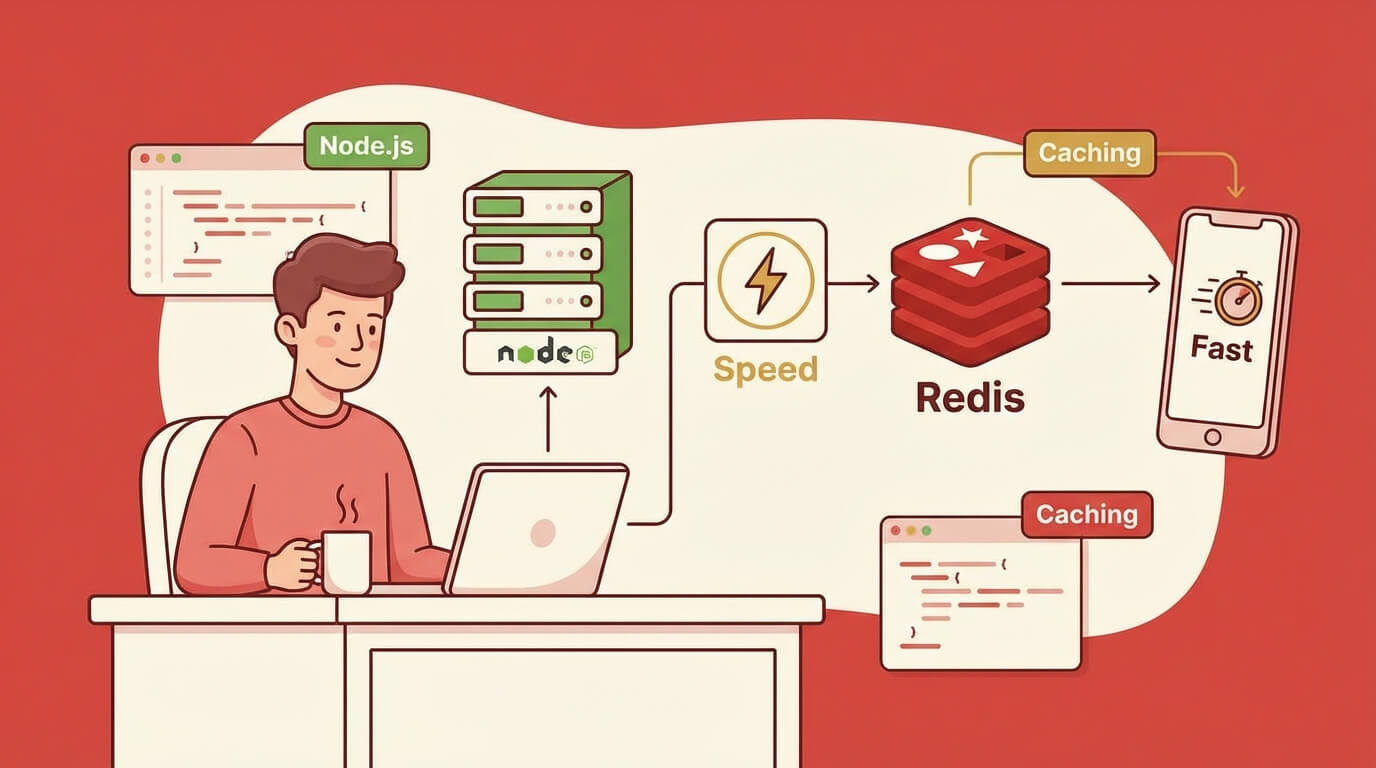
How to Implement Caching with Redis in Node.js
Saturday, Dec 27, 2025
Have you ever felt your application is slow even though the server is good? The same database queries running repeatedly, API responses that could be reused but are always fetched again. A classic problem with a simple solution: caching.
And when it comes to caching in Node.js, Redis is the king. An in-memory data store that’s super fast, battle-tested, and used by almost all major tech companies. Let’s dive in!
Why Do You Need Caching?
Before getting into Redis, understand why caching is important:
- Reduce Database Load - The same queries don’t need to hit the database repeatedly
- Faster Response Time - Data from memory is much faster than from disk
- Cost Efficiency - Fewer database calls = lower cloud bills
- Better User Experience - Application feels snappier
Simple example: if your homepage shows “Top 10 Products” and 10,000 users open the homepage per minute, without caching that means 10,000 database queries per minute. With caching? Just 1 query per 5 minutes (or according to your TTL setting).
What is Redis?
Redis (Remote Dictionary Server) is an in-memory data structure store. It can be used as:
- Cache - Store temporary data with TTL
- Database - Persistent data if enabled
- Message Broker - Pub/Sub for real-time features
- Session Store - Store user sessions
What makes Redis fast is all data is stored in RAM. Read/write operations can reach 100,000+ ops/second. Compare that to traditional databases that read from disk.
Data Structures in Redis
Redis isn’t just an ordinary key-value store. It supports various data structures:
STRING  → "user:123" = "John Doe"
HASH    → "user:123" = { name: "John", age: 25 }
LIST    → "queue:emails" = ["email1", "email2", "email3"]
SET     → "tags:post:1" = {"nodejs", "redis", "tutorial"}
ZSET    → "leaderboard" = [{score: 100, member: "player1"}, ...]
Redis Setup
There are two options: local development and cloud (production).
Option 1: Local Redis (Docker)
The easiest way is using Docker:
# Pull and run Redis
docker run -d --name redis -p 6379:6379 redis:alpine

# Or with password
docker run -d --name redis -p 6379:6379 redis:alpine --requirepass yourpassword

# Test connection
docker exec -it redis redis-cli ping
# Output: PONG
If you want to use docker-compose.yml:
version: '3.8'
services:
  redis:
    image: redis:alpine
    ports:
      - "6379:6379"
    command: redis-server --requirepass ${REDIS_PASSWORD}
    volumes:
      - redis_data:/data
    restart: unless-stopped

volumes:
  redis_data:
Option 2: Upstash (Serverless Redis)
For production, I recommend Upstash. Why?
- Serverless - Pay per request, no server management needed
- Global Replication - Data replicated to multiple regions
- Generous Free Tier - 10,000 commands/day free
- REST API - Can be used from edge functions
Upstash Setup:
- Register at upstash.com
- Create new Redis database
- Choose nearest region (Singapore for Southeast Asia)
- Copy connection string
# .env
REDIS_URL=redis://default:xxxxx@apn1-xxxxx.upstash.io:6379
# or for REST API
UPSTASH_REDIS_REST_URL=https://apn1-xxxxx.upstash.io
UPSTASH_REDIS_REST_TOKEN=xxxxx
Node.js Client Setup
There are several Redis clients for Node.js. The most popular:
- ioredis - Feature-rich, supports cluster, Lua scripting
- redis - Official client, simple API
- @upstash/redis - HTTP-based, suitable for serverless
I prefer ioredis because it has the most complete features.
Installation
npm install ioredis
# or
pnpm add ioredis
Basic Connection
// lib/redis.ts
import Redis from 'ioredis';

const redis = new Redis(process.env.REDIS_URL || 'redis://localhost:6379');

redis.on('connect', () => {
  console.log('✅ Redis connected');
});

redis.on('error', (err) => {
  console.error('❌ Redis error:', err);
});

export default redis;
For production, add retry logic:
// lib/redis.ts
import Redis from 'ioredis';

const redis = new Redis(process.env.REDIS_URL!, {
  maxRetriesPerRequest: 3,
  retryStrategy(times) {
    const delay = Math.min(times * 50, 2000);
    return delay;
  },
  reconnectOnError(err) {
    const targetError = 'READONLY';
    if (err.message.includes(targetError)) {
      return true;
    }
    return false;
  },
});

export default redis;
Basic Redis Operations
String Operations
import redis from './lib/redis';

// SET - store value
await redis.set('user:123:name', 'John Doe');

// SET with expiry (TTL in seconds)
await redis.set('session:abc', 'user-data', 'EX', 3600); // expires in 1 hour

// SETEX - shorthand for set with expiry
await redis.setex('otp:user123', 300, '123456'); // expires in 5 minutes

// GET - retrieve value
const name = await redis.get('user:123:name');
console.log(name); // "John Doe"

// MSET/MGET - multiple set/get
await redis.mset('key1', 'value1', 'key2', 'value2');
const values = await redis.mget('key1', 'key2');
console.log(values); // ["value1", "value2"]

// DELETE
await redis.del('user:123:name');

// CHECK EXISTS
const exists = await redis.exists('user:123:name');
console.log(exists); // 0 or 1
Hash Operations
Hash is suitable for storing objects:
// HSET - set field in hash
await redis.hset('user:123', {
  name: 'John Doe',
  email: 'john@example.com',
  age: '25',
});

// HGET - get single field
const email = await redis.hget('user:123', 'email');

// HGETALL - get all fields
const user = await redis.hgetall('user:123');
console.log(user); // { name: 'John Doe', email: 'john@example.com', age: '25' }

// HINCRBY - increment numeric field
await redis.hincrby('user:123', 'login_count', 1);

// HDEL - delete field
await redis.hdel('user:123', 'age');
List Operations
Lists are good for queues or recent items:
// LPUSH - add to beginning of list
await redis.lpush('notifications:user123', 'New message from Bob');

// RPUSH - add to end of list
await redis.rpush('queue:emails', JSON.stringify({ to: 'user@example.com', subject: 'Hello' }));

// LRANGE - get range of items
const notifications = await redis.lrange('notifications:user123', 0, 9); // first 10 items

// LPOP/RPOP - remove and return item
const job = await redis.rpop('queue:emails');

// LLEN - get length
const queueLength = await redis.llen('queue:emails');
Set Operations
Sets for unique collections:
// SADD - add members
await redis.sadd('tags:post:1', 'nodejs', 'redis', 'tutorial');

// SMEMBERS - get all members
const tags = await redis.smembers('tags:post:1');
console.log(tags); // ['nodejs', 'redis', 'tutorial']

// SISMEMBER - check if member exists
const hasTag = await redis.sismember('tags:post:1', 'nodejs');
console.log(hasTag); // 1

// SINTER - intersection of sets
await redis.sadd('user:1:interests', 'coding', 'gaming', 'music');
await redis.sadd('user:2:interests', 'coding', 'sports', 'music');
const commonInterests = await redis.sinter('user:1:interests', 'user:2:interests');
console.log(commonInterests); // ['coding', 'music']
Caching Patterns
Now let’s get to the important part: how to implement caching correctly.
Pattern 1: Cache-Aside (Lazy Loading)
The most common pattern. The logic:
- Check cache first
- If exists (cache hit), return from cache
- If doesn’t exist (cache miss), fetch from source, save to cache, return
// services/userService.ts
import redis from '../lib/redis';
import { db } from '../lib/database';

interface User {
  id: string;
  name: string;
  email: string;
}

const CACHE_TTL = 3600; // 1 hour

export async function getUserById(userId: string): Promise<User | null> {
  const cacheKey = `user:${userId}`;

  // 1. Check cache
  const cached = await redis.get(cacheKey);
  if (cached) {
    console.log('Cache HIT');
    return JSON.parse(cached);
  }

  // 2. Cache miss - fetch from database
  console.log('Cache MISS');
  const user = await db.user.findUnique({ where: { id: userId } });

  if (!user) return null;

  // 3. Store in cache
  await redis.setex(cacheKey, CACHE_TTL, JSON.stringify(user));

  return user;
}
Pros:
- Simple and easy to implement
- Only caches data that’s needed
- Cache miss isn’t fatal (fallback to database)
Cons:
- First request is always slow (cache miss)
- Potential stale data until TTL expires
Pattern 2: Write-Through
Every write to database, immediately update cache too:
// services/userService.ts
export async function updateUser(userId: string, data: Partial<User>): Promise<User> {
  // 1. Update database
  const user = await db.user.update({
    where: { id: userId },
    data,
  });

  // 2. Update cache
  const cacheKey = `user:${userId}`;
  await redis.setex(cacheKey, CACHE_TTL, JSON.stringify(user));

  return user;
}

export async function createUser(data: CreateUserInput): Promise<User> {
  // 1. Create in database
  const user = await db.user.create({ data });

  // 2. Store in cache
  const cacheKey = `user:${user.id}`;
  await redis.setex(cacheKey, CACHE_TTL, JSON.stringify(user));

  return user;
}
Pros:
- Cache is always up-to-date
- Consistent read performance
Cons:
- Write latency is slightly higher
- Cache might store data that’s rarely read
Pattern 3: Write-Behind (Write-Back)
Write to cache first, sync to database asynchronously:
// This is more complex, usually uses a queue
export async function updateUserAsync(userId: string, data: Partial<User>): Promise<void> {
  const cacheKey = `user:${userId}`;

  // 1. Update cache immediately
  const current = await redis.get(cacheKey);
  const updated = { ...JSON.parse(current || '{}'), ...data };
  await redis.setex(cacheKey, CACHE_TTL, JSON.stringify(updated));

  // 2. Queue database update
  await redis.rpush('queue:db-sync', JSON.stringify({
    operation: 'UPDATE_USER',
    userId,
    data,
    timestamp: Date.now(),
  }));
}

// Worker process that syncs to database
async function processDatabaseSync() {
  while (true) {
    const job = await redis.blpop('queue:db-sync', 0);
    if (job) {
      const { operation, userId, data } = JSON.parse(job[1]);
      if (operation === 'UPDATE_USER') {
        await db.user.update({ where: { id: userId }, data });
      }
    }
  }
}
This pattern is more advanced and needs good error handling.
TTL Strategies
Determining the right TTL (Time To Live) is crucial:
// constants/cacheTTL.ts
export const CACHE_TTL = {
  // Static content - rarely changes
  STATIC_PAGES: 86400,        // 24 hours
  PRODUCT_CATEGORIES: 3600,   // 1 hour

  // Semi-static - sometimes changes
  PRODUCT_DETAILS: 1800,      // 30 minutes
  USER_PROFILE: 3600,         // 1 hour

  // Dynamic - frequently changes
  USER_SESSION: 7200,         // 2 hours
  API_RATE_LIMIT: 60,         // 1 minute

  // Very dynamic - changes very frequently
  STOCK_QUANTITY: 30,         // 30 seconds
  LIVE_SCORES: 5,             // 5 seconds
};
Dynamic TTL
Sometimes TTL needs to be dynamic based on conditions:
function calculateTTL(dataType: string, lastModified: Date): number {
  const hoursSinceModified = (Date.now() - lastModified.getTime()) / (1000 * 60 * 60);

  // Data that's rarely updated, cache longer
  if (hoursSinceModified > 24) {
    return 3600; // 1 hour
  } else if (hoursSinceModified > 6) {
    return 1800; // 30 minutes
  } else {
    return 300; // 5 minutes
  }
}
Cache Invalidation
“There are only two hard things in Computer Science: cache invalidation and naming things.” — Phil Karlton
Manual Invalidation
// Invalidate single key
await redis.del('user:123');

// Invalidate by pattern (be careful in production!)
async function invalidatePattern(pattern: string): Promise<void> {
  const keys = await redis.keys(pattern);
  if (keys.length > 0) {
    await redis.del(...keys);
  }
}

// Usage
await invalidatePattern('user:123:*'); // All cache related to user 123
Warning: The KEYS command is blocking and can make Redis slow if there’s a lot of data. In production, use SCAN:
async function invalidatePatternSafe(pattern: string): Promise<number> {
  let cursor = '0';
  let deletedCount = 0;

  do {
    const [newCursor, keys] = await redis.scan(cursor, 'MATCH', pattern, 'COUNT', 100);
    cursor = newCursor;

    if (keys.length > 0) {
      await redis.del(...keys);
      deletedCount += keys.length;
    }
  } while (cursor !== '0');

  return deletedCount;
}
Event-Driven Invalidation
It’s better to invalidate cache based on events:
// events/userEvents.ts
import redis from '../lib/redis';
import { EventEmitter } from 'events';

export const userEvents = new EventEmitter();

userEvents.on('user:updated', async (userId: string) => {
  await redis.del(`user:${userId}`);
  await redis.del(`user:${userId}:profile`);
  await redis.del(`user:${userId}:settings`);
  console.log(`Cache invalidated for user ${userId}`);
});

userEvents.on('user:deleted', async (userId: string) => {
  await invalidatePatternSafe(`user:${userId}:*`);
});

// Usage in service
export async function updateUser(userId: string, data: Partial<User>): Promise<User> {
  const user = await db.user.update({ where: { id: userId }, data });
  userEvents.emit('user:updated', userId);
  return user;
}
Real-World Examples
1. API Response Caching
// middleware/cacheMiddleware.ts
import { Request, Response, NextFunction } from 'express';
import redis from '../lib/redis';
import crypto from 'crypto';

interface CacheOptions {
  ttl: number;
  keyPrefix?: string;
}

export function cacheMiddleware(options: CacheOptions) {
  return async (req: Request, res: Response, next: NextFunction) => {
    // Skip cache for non-GET requests
    if (req.method !== 'GET') {
      return next();
    }

    // Generate cache key from URL + query params
    const keyData = `${req.originalUrl}:${JSON.stringify(req.query)}`;
    const cacheKey = `${options.keyPrefix || 'api'}:${crypto
      .createHash('md5')
      .update(keyData)
      .digest('hex')}`;

    try {
      const cached = await redis.get(cacheKey);
      if (cached) {
        res.setHeader('X-Cache', 'HIT');
        return res.json(JSON.parse(cached));
      }
    } catch (err) {
      console.error('Cache read error:', err);
    }

    // Override res.json to capture response
    const originalJson = res.json.bind(res);
    res.json = (body: any) => {
      // Store in cache (async, don't block response)
      redis.setex(cacheKey, options.ttl, JSON.stringify(body)).catch(console.error);
      res.setHeader('X-Cache', 'MISS');
      return originalJson(body);
    };

    next();
  };
}

// Usage
app.get('/api/products', cacheMiddleware({ ttl: 300 }), getProducts);
app.get('/api/products/:id', cacheMiddleware({ ttl: 600 }), getProductById);
2. Session Storage
// lib/sessionStore.ts
import redis from './redis';
import crypto from 'crypto';

interface Session {
  userId: string;
  email: string;
  role: string;
  createdAt: number;
  expiresAt: number;
}

const SESSION_TTL = 7 * 24 * 60 * 60; // 7 days

export async function createSession(userId: string, userData: Omit<Session, 'createdAt' | 'expiresAt'>): Promise<string> {
  const sessionId = crypto.randomBytes(32).toString('hex');
  const now = Date.now();

  const session: Session = {
    ...userData,
    userId,
    createdAt: now,
    expiresAt: now + (SESSION_TTL * 1000),
  };

  await redis.setex(`session:${sessionId}`, SESSION_TTL, JSON.stringify(session));

  // Track user's active sessions
  await redis.sadd(`user:${userId}:sessions`, sessionId);

  return sessionId;
}

export async function getSession(sessionId: string): Promise<Session | null> {
  const data = await redis.get(`session:${sessionId}`);
  if (!data) return null;

  const session = JSON.parse(data) as Session;

  // Check if expired (belt and suspenders)
  if (session.expiresAt < Date.now()) {
    await destroySession(sessionId);
    return null;
  }

  return session;
}

export async function destroySession(sessionId: string): Promise<void> {
  const session = await getSession(sessionId);
  if (session) {
    await redis.srem(`user:${session.userId}:sessions`, sessionId);
  }
  await redis.del(`session:${sessionId}`);
}

export async function destroyAllUserSessions(userId: string): Promise<void> {
  const sessionIds = await redis.smembers(`user:${userId}:sessions`);

  if (sessionIds.length > 0) {
    const pipeline = redis.pipeline();
    sessionIds.forEach(id => pipeline.del(`session:${id}`));
    pipeline.del(`user:${userId}:sessions`);
    await pipeline.exec();
  }
}
3. Rate Limiting
// middleware/rateLimiter.ts
import redis from '../lib/redis';
import { Request, Response, NextFunction } from 'express';

interface RateLimitOptions {
  windowMs: number;      // Window in milliseconds
  maxRequests: number;   // Max requests per window
  keyPrefix?: string;
}

export function rateLimiter(options: RateLimitOptions) {
  const { windowMs, maxRequests, keyPrefix = 'ratelimit' } = options;
  const windowSec = Math.ceil(windowMs / 1000);

  return async (req: Request, res: Response, next: NextFunction) => {
    const identifier = req.ip || req.headers['x-forwarded-for'] || 'unknown';
    const key = `${keyPrefix}:${identifier}`;

    try {
      const pipeline = redis.pipeline();
      pipeline.incr(key);
      pipeline.ttl(key);

      const results = await pipeline.exec();
      const currentCount = results?.[0]?.[1] as number;
      const ttl = results?.[1]?.[1] as number;

      // Set expiry on first request
      if (ttl === -1) {
        await redis.expire(key, windowSec);
      }

      // Set headers
      res.setHeader('X-RateLimit-Limit', maxRequests);
      res.setHeader('X-RateLimit-Remaining', Math.max(0, maxRequests - currentCount));
      res.setHeader('X-RateLimit-Reset', Date.now() + (ttl > 0 ? ttl * 1000 : windowMs));

      if (currentCount > maxRequests) {
        return res.status(429).json({
          error: 'Too Many Requests',
          message: `Rate limit exceeded. Try again in ${ttl} seconds.`,
        });
      }

      next();
    } catch (err) {
      console.error('Rate limiter error:', err);
      next(); // Fail open - allow request if Redis is down
    }
  };
}

// Usage
app.use('/api/', rateLimiter({
  windowMs: 60 * 1000,  // 1 minute
  maxRequests: 100,      // 100 requests per minute
}));

// Stricter limit for auth endpoints
app.use('/api/auth/', rateLimiter({
  windowMs: 15 * 60 * 1000,  // 15 minutes
  maxRequests: 5,             // 5 attempts
  keyPrefix: 'ratelimit:auth',
}));
4. Leaderboard with Sorted Sets
// services/leaderboardService.ts
import redis from '../lib/redis';

const LEADERBOARD_KEY = 'leaderboard:global';

export async function updateScore(userId: string, score: number): Promise<void> {
  await redis.zadd(LEADERBOARD_KEY, score, userId);
}

export async function incrementScore(userId: string, amount: number): Promise<number> {
  return await redis.zincrby(LEADERBOARD_KEY, amount, userId);
}

export async function getTopPlayers(count: number = 10): Promise<Array<{ userId: string; score: number; rank: number }>> {
  const results = await redis.zrevrange(LEADERBOARD_KEY, 0, count - 1, 'WITHSCORES');

  const players: Array<{ userId: string; score: number; rank: number }> = [];
  for (let i = 0; i < results.length; i += 2) {
    players.push({
      userId: results[i],
      score: parseFloat(results[i + 1]),
      rank: Math.floor(i / 2) + 1,
    });
  }

  return players;
}

export async function getPlayerRank(userId: string): Promise<{ rank: number; score: number } | null> {
  const pipeline = redis.pipeline();
  pipeline.zrevrank(LEADERBOARD_KEY, userId);
  pipeline.zscore(LEADERBOARD_KEY, userId);

  const results = await pipeline.exec();
  const rank = results?.[0]?.[1];
  const score = results?.[1]?.[1];

  if (rank === null || score === null) return null;

  return {
    rank: (rank as number) + 1,
    score: parseFloat(score as string),
  };
}
Monitoring Redis
Basic Stats with INFO
async function getRedisStats(): Promise<Record<string, any>> {
  const info = await redis.info();

  // Parse info string
  const stats: Record<string, any> = {};
  info.split('\n').forEach(line => {
    const [key, value] = line.split(':');
    if (key && value) {
      stats[key.trim()] = value.trim();
    }
  });

  return {
    usedMemory: stats['used_memory_human'],
    connectedClients: stats['connected_clients'],
    totalKeys: stats['db0']?.match(/keys=(\d+)/)?.[1] || 0,
    hitRate: calculateHitRate(
      parseInt(stats['keyspace_hits'] || '0'),
      parseInt(stats['keyspace_misses'] || '0')
    ),
  };
}

function calculateHitRate(hits: number, misses: number): string {
  const total = hits + misses;
  if (total === 0) return '0%';
  return `${((hits / total) * 100).toFixed(2)}%`;
}
Memory Analysis
async function analyzeMemory(): Promise<void> {
  const info = await redis.info('memory');
  console.log('Memory Info:', info);

  // Get memory usage for specific key
  const keyMemory = await redis.memory('USAGE', 'user:123');
  console.log('Memory for user:123:', keyMemory, 'bytes');

  // Get big keys (careful in production!)
  // Better to run: redis-cli --bigkeys
}
Health Check Endpoint
// routes/health.ts
app.get('/health/redis', async (req, res) => {
  try {
    const start = Date.now();
    await redis.ping();
    const latency = Date.now() - start;

    const stats = await getRedisStats();

    res.json({
      status: 'healthy',
      latency: `${latency}ms`,
      ...stats,
    });
  } catch (err) {
    res.status(503).json({
      status: 'unhealthy',
      error: (err as Error).message,
    });
  }
});
Best Practices
1. Naming Convention for Keys
Use a consistent and descriptive format:
{entity}:{id}:{attribute}

Examples:
user:123:profile
user:123:settings
post:456:comments
session:abc123xyz
cache:api:products:list
ratelimit:ip:192.168.1.1
2. Don’t Store Large Data
Redis is optimal for small data. If you need to store large data:
// ❌ Bad
await redis.set('report:large', hugeJsonData); // 10MB data

// ✅ Good - store in object storage, reference in Redis
await redis.set('report:large:url', 's3://bucket/reports/large.json');
3. Use Pipeline for Multiple Operations
// ❌ Bad - 100 round trips
for (const userId of userIds) {
  await redis.get(`user:${userId}`);
}

// ✅ Good - 1 round trip
const pipeline = redis.pipeline();
userIds.forEach(id => pipeline.get(`user:${id}`));
const results = await pipeline.exec();
4. Handle Connection Errors
redis.on('error', (err) => {
  console.error('Redis error:', err);
  // Log to monitoring service
  // Don't crash the app - implement circuit breaker
});

redis.on('reconnecting', () => {
  console.log('Redis reconnecting...');
});
5. Set Memory Limits
In redis.conf or at startup:
redis-server --maxmemory 256mb --maxmemory-policy allkeys-lruMemory policies:
noeviction- Return error when memory is fullallkeys-lru- Evict least recently used keysvolatile-lru- Evict LRU keys that have expiryallkeys-random- Random eviction
6. Graceful Shutdown
process.on('SIGTERM', async () => {
  console.log('Shutting down...');
  await redis.quit();
  process.exit(0);
});
Conclusion
Redis is a powerful tool for caching in Node.js. Key takeaways:
- Choose the right caching pattern - Cache-aside for most cases, write-through if data consistency is important
- TTL strategy - Adjust according to how often data changes
- Cache invalidation - Event-driven is more reliable than TTL-only
- Monitor - Track hit rate, memory usage, and latency
- Fail gracefully - Application should still run even if Redis is down
Start with something simple first—cache API responses with cache-aside pattern. After you’re familiar, explore other patterns as needed.
Happy caching! 🚀